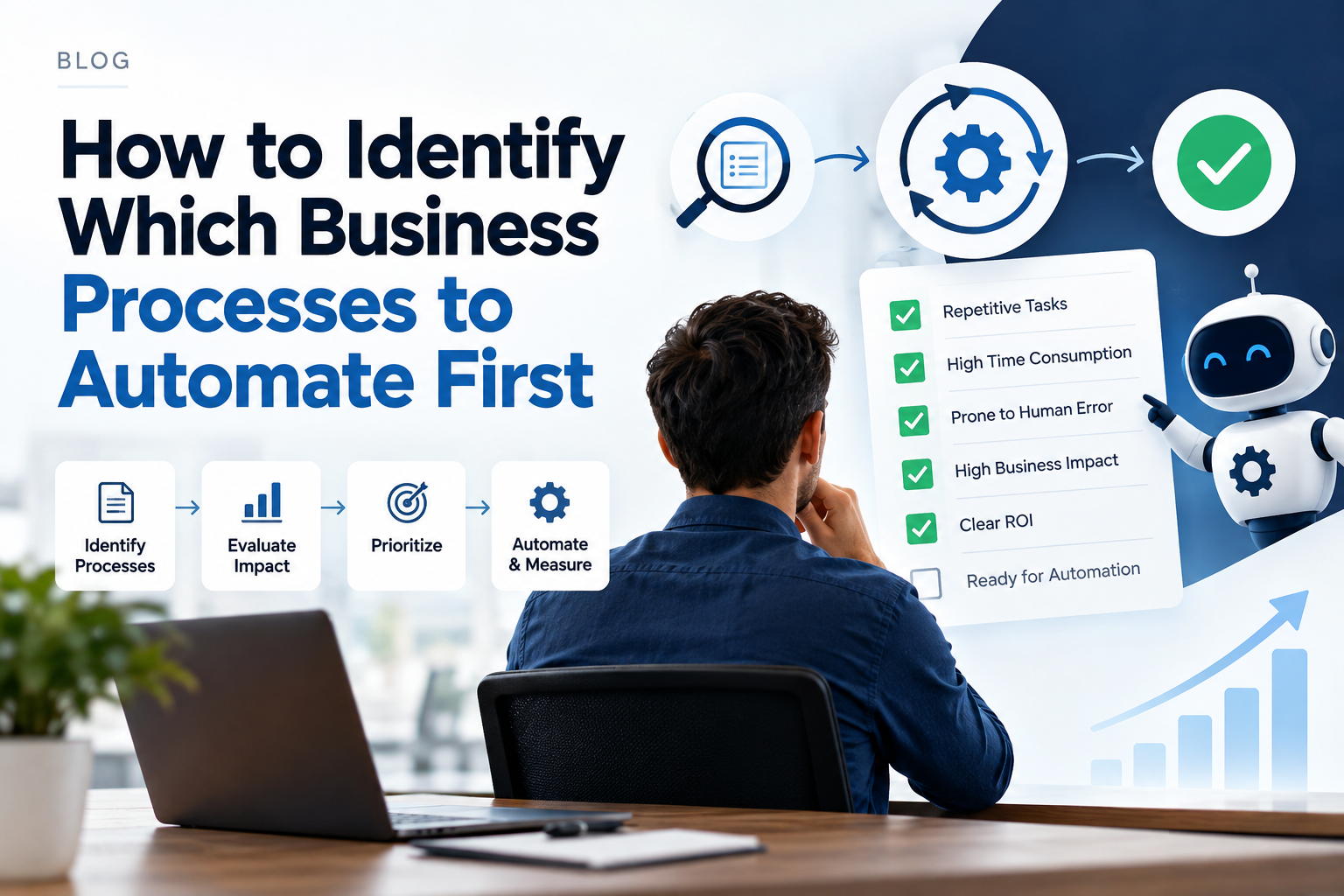
However, many growing organizations fall into a costly trap: trying to automate everything at once, or automating the wrong workflows first. Automating a broken or poorly understood process doesn't make it better - it simply speeds up chaos. On the flip side, keeping high-volume, repetitive tasks manual stifles growth, burns out employees, and invites human error.
In this deep dive, we’ll explore how to identify which business processes to automate first for maximum ROI, which tasks should strictly remain human-led, and how to build a scalable framework for your company's automation journey.
The Evolution of Workplace Automation
Traditionally, business operations relied on manual labor, physical paperwork, and disparate software tools connected by human effort. Employees spent countless hours performing "work about work" - manually copying data from emails into spreadsheets, updating CRM entries, sending routine reminders, and filing documents.
Fast forward to today, and the operational playbook looks radically different. The explosion of cloud-native tools, low-code/no-code platforms, and API-driven integrations has democratized workflow automation. Whether a company utilizes simple platforms like Zapier and Make or complex enterprise Robotic Process Automation (RPA) like UiPath, teams can now seamlessly connect disparate applications and eliminate operational friction.
Yet, as access to automation tools increases, the core challenge moves from technology to strategy: Knowing what to automate, when to automate, and what to leave manual.
What Makes a Process Ideal for Automation?
Not all workflows are created equal. Successful automation initiatives start with processes that display clear, predictable characteristics. Business processes ideal for early-stage automation typically feature four core attributes:
a. High Volume and Repetitive Execution
Tasks performed daily or weekly by multiple team members are prime automation targets. Because these tasks consume dozens of cumulative hours each month, automating them delivers immediate and measurable time savings back to your core operations.
b. Standardized and Rule-Based Logic
If a process can be mapped cleanly into a series of explicit "If This, Then That" conditions, a machine can execute it faster and with zero variance. Processes requiring minimal discretionary judgment are the safest and easiest to automate successfully.
c. Susceptibility to Human Error
Manual data entry, multi-step copy-pasting, and routine mathematical calculations invite human error - especially when employees are fatigued. Automating these touchpoints drastically improves data integrity and reduces compliance risk.
d. Time-Sensitivity and Bottlenecks
Workflows where operational delays directly impact customer satisfaction or revenue generation benefit immensely from automation. Instantly triggering an action upon receiving a trigger prevents deals from stalling and keeps customers engaged.
A 4-Quadrant Framework for Prioritizing Automation
To avoid feeling overwhelmed by possibilities, prioritize your organization's processes using an Impact vs. Complexity matrix:
Quadrant Breakdown:
- Quick Wins (High Impact, Low Complexity): Automate these immediately. These processes involve few software platforms, follow clear rules, and yield massive operational relief upon automation.
- Strategic Targets (High Impact, High Complexity): Plan these for phase two. These yield substantial enterprise value, but require cross-departmental coordination, custom code, or enterprise RPA tools.
- Low Priority (Low Impact, Low Complexity): Automate only if time permits. If a process takes minutes to automate using built-in tool settings, do it, but don't dedicate major budget to it.
- Avoid / Leave Manual (Low Impact, High Complexity): Do not automate. The maintenance burden and implementation cost will far outweigh any operational gain.
Key Areas Where Automation Delivers High ROI
Let's break down where modern organizations are deploying automation to achieve immediate operational wins across core departments.
a. Lead Management and Sales Operations
Sales representatives should spend their time selling, not doing admin work. High-ROI automation targets in sales include:
- Auto-routing website leads to specific reps based on territory or deal size.
- Triggering instant calendar scheduling links upon contact form submissions.
- Auto-enriching CRM records with company data from third-party databases.
b. Customer Onboarding and Support Routing
First impressions are critical for customer retention. Organizations leverage automation to:
- Instantly generate user accounts, welcome email sequences, and shared folders upon contract signing.
- Route incoming support tickets based on sentiment analysis or specific technical tags.
- Send automated check-in emails when customer activity drops below normal thresholds.
c. Finance, Invoicing, and Expense Management
Financial operations require high accuracy and strict compliance, making them ideal for workflow rules:
- Extracting invoice data from incoming PDFs using OCR (Optical Character Recognition) and auto-populating accounting systems.
- Sending automated payment reminder sequences for overdue invoices.
- Auto-matching receipts to credit card line items for employee expense reports.
d. HR and Employee Lifecycle Management
Managing team member transitions manually consumes valuable HR bandwidth:
- Provisioning software accounts, equipment orders, and training modules when an offer letter is signed.
- Scheduling routine performance review notifications and collecting feedback forms automatically.
- Managing leave requests and syncs with team calendars.
Which Business Processes Should You Leave Manual?
While the temptation to automate everything is strong, forcing software onto certain workflows introduces unnecessary business risk, alienates customers, and creates tech-debt. Keep these processes strictly human-driven:
a. High-Empathy Customer Interactions
Automating initial ticket routing is smart; automating the resolution of an angry customer's complaint is dangerous. Complex relationship management, crisis communication, and high-value deal negotiations require empathy, active listening, and nuance that AI and algorithms cannot replicate.
b. Strategic Decision-Making and Creative Work
Processes that depend on abstract problem-solving, market intuition, artistic direction, or long-term vision must remain manual. While AI can support brainstorming and initial drafting, final strategy and vision setting require distinct human judgment.
c. Unstable or Frequently Changing Processes
If a process is changing every few weeks due to evolving business models or early-stage testing, leave it manual. Automating an unstable workflow creates a constant maintenance nightmare, as scripts and triggers break with every operational tweak.
d. Low-Volume, Highly Custom Edge Cases
If a complex workflow happens twice a year and takes 15 minutes to complete manually, spending 20 hours to design, test, and maintain an automation setup yields negative ROI. Keep rare edge cases manual.
Common Pitfalls in Process Automation
Even well-funded teams encounter roadblocks when executing an operational automation strategy. Watch out for these four common mistakes:
a. Automating Before Optimizing
Automating a bad process only yields poor results faster. Always audit, simplify, and standardize a workflow on paper before building out automated software paths.
b. Ignoring Change Management and Team Buy-In
If your team feels that automation is introduced to replace them rather than empower them, they will resist adoption. Frame automation as a tool that removes tedious "grunt work" so employees can focus on higher-value, satisfying tasks.
c. Over-Engineering and System Fragility
Creating overly intricate spiderwebs of interconnected Zapier webhooks or custom code can create fragile systems. When one API updates or changes, the entire sequence breaks. Keep your automation architecture as simple and modular as possible.
d. Neglecting Maintenance and Governance
Automations are not "set it and forget it." Apps update, field names change, and employee roles evolve. Establish clear ownership for reviewing, updating, and auditing your company's automated workflows on a quarterly basis.
The Future of Business Automation
As business operations continue to evolve, process automation is undergoing a massive transformation driven by key emerging trends:
a. AI-Driven Adaptive Workflows
Traditional automation relies on strict binary logic ("if X, then Y"). The future lies in AI agents capable of handling unstructured data, interpreting intent, and dynamically making decisions mid-workflow without breaking the chain.
b. No-Code Ecosystem Maturity
Building complex, multi-app workflows no longer requires an internal team of software developers. Department heads and operations managers can now construct sophisticated enterprise automations using drag-and-drop interfaces.
c. Hyper-Personalization at Scale
Future automations won't just move data - they will customize interactions. From dynamically personalized video onboarding to customized client reporting generated in real time, automation will feel increasingly personal to end users.
Final Thoughts
Identifying which processes to automate first isn't about adopting every shiny new tool - it's about operational clarity. By targeting high-impact, low-complexity quick wins first, you generate immediate ROI, free up team bandwidth, and build momentum for larger digital transformation efforts.
Equally important is knowing when to say no. Preserving human oversight for high-empathy, strategic, and creative tasks ensures your business retains its personal touch while operating at maximum efficiency.
- #Business Automation
- #Process Optimization
- #Workflow Strategy
- #Digital Transformation
- #Operational Efficiency
Work with Applash
Have a process you want to automate?
Tell us how your business works today. A senior person reads every message and replies within one business day.